Voices
This module combines controls for the envelope, global volume level, and tuning for voices, with parameters for offset and note duration during sequence playback.
References
Voice module activation button:

Envelope screen:

Global settings sliders panel:
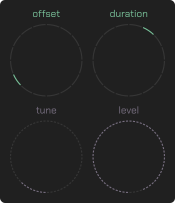
Note start offset slider:

switches between "auto", "3/4", "1/2", "3/8", "1/3", "5/16", "1/4", "3/16" and some
Note: This will be replaced with another parameter in the future.
Note duration slider:

switches between "auto", "3/4", "1/2", "3/8", "1/3", "5/16", "1/4", "3/16" and some
Global pitch slider:

range from 0 to 64 semitones
Global volume slider:

range from -72 to 0 dB
Envelope sliders panel:
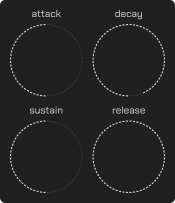
Attack time slider:

range from 0.01 to 2 seconds
Decay time slider:

range from 0.01 to 2 seconds
Sustain level slider:
range 0% to 100%
Release time slider:

range from 0.01 to 2 seconds
Guides
How to change the pitch for all voices?
- Drag the "tune" slider.
- Select the desired pitch for all voices.
- Ensure that the pitch has changed.
How to adjust the overall volume for all voices?
- Drag the "level" slider.
- Select the desired volume.
- Ensure that the volume has changed for all voices
How to configure the envelope for voices?
- Drag the "attack" slider to adjust the attack.
- Drag the "decay" slider to adjust the decay period after the attack.
- Drag the "sustain" slider to adjust the sustain level after decay.
- Drag the "release" slider to adjust the release.